AODEQI · BUYING & APPLICATION GUIDES
How to Maintain Your Fiber Laser Marking Machine: 10 Tips
Ten fiber laser maintenance tips covering approved optics care, extraction, cooling, fixtures, file control and useful technical support records.
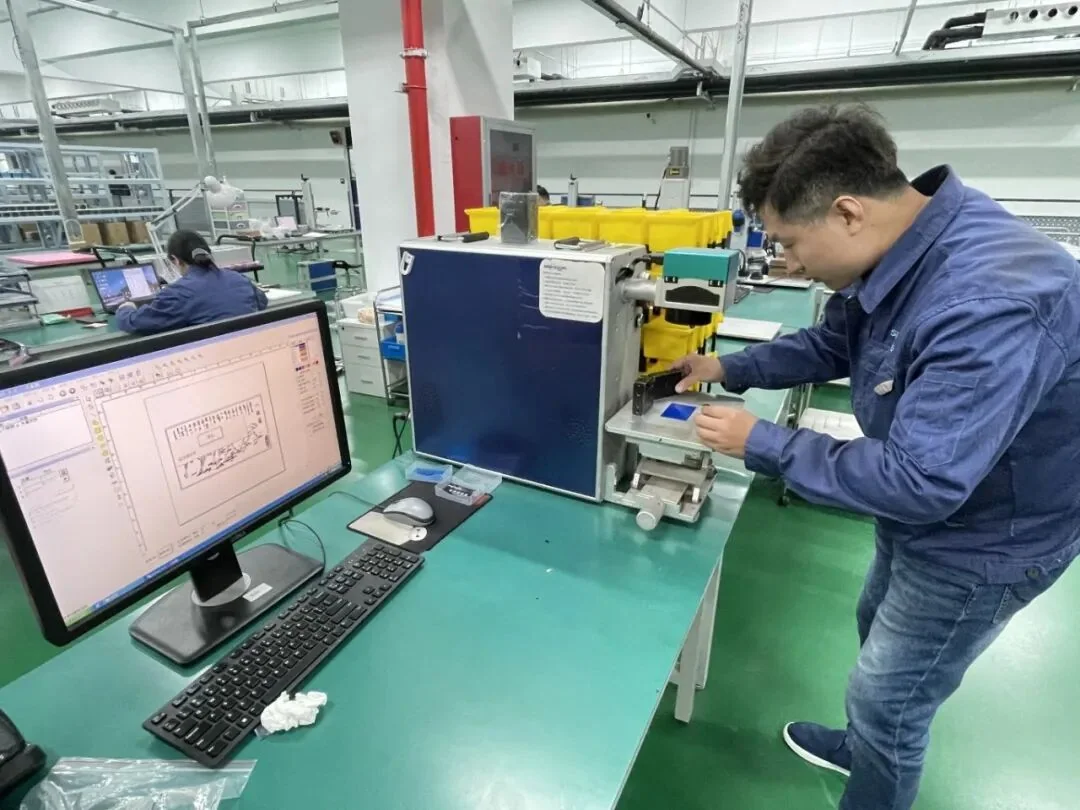
Maintaining a fiber laser marking machine is about preserving a repeatable workstation as well as protecting the source. A change in focus, fixture condition or extraction can affect a mark even when the laser still operates. The following ten tips provide a practical framework for operators and maintenance teams. Use the instructions supplied for the actual machine, optics, cooling system and accessories as the controlling procedure. Work requiring access to protected optical, electrical or laser-source components belongs to appropriately qualified service personnel, not to an improvised routine inspection.
1. Establish a machine-specific maintenance record
Use the supplied operating instructions
Identify the machine, source, lens, controller and accessories in the maintenance record. Keep the relevant manuals, approved cleaning materials and service contacts accessible to the responsible team. Record the operating environment and the maintenance interval required by each component supplier. A single generic schedule may not suit both a clean inspection room and a dusty production area. Connect maintenance work to the machine's actual configuration, and record changes so another operator can understand what was done and why.
2. Follow the correct shutdown and isolation procedure
Inspect before scheduled production
Before cleaning or servicing, follow the supplied shutdown and isolation instructions for the work being performed. Do not open a source housing, electrical enclosure or protected optical path simply because the machine is described as low maintenance. Identify which tasks are approved for operators and which require qualified service. If an unexpected fault or damaged protection is observed, stop the affected operation and escalate it. Restoring a guard or interlock is a maintenance responsibility, not an optional step after achieving an acceptable mark.
3. Inspect accessible optics using the approved method
Dust and process deposits on an accessible protective window or lens can change the working result. Inspect only the surfaces and components that the manufacturer permits the operator to access. Use the specified optical materials, cleaning fluid and procedure; household wipes, aggressive solvents or unnecessary rubbing can damage coatings. Do not remove embedded contamination or replace optical components without the appropriate instruction. If cleaning does not restore the expected condition, obtain service advice before compensating through additional laser power or unqualified optical adjustment.
4. Maintain extraction and the working area
The extraction arrangement should suit the actual materials and process. Follow the filter or collector manufacturer's instructions for inspection, replacement and disposal. Check accessible connections and confirm that the system operates as intended before processing. Keep the workstation free of accumulated debris and unnecessary combustible material. A weak extraction system can allow deposits to build around the work area and optics and can change the operating environment. Material changes may require a review of extraction rather than simply continuing with the previous collection arrangement.
5. Keep the cooling arrangement within its requirements
The cooling method depends on the source and machine configuration. For an air-cooled fiber workstation, keep the intended air paths clear and follow the environmental limits in the manual. Do not assume that every machine uses the same filters, fans or service interval. If another configuration includes a chiller, its fluid, temperature and maintenance requirements must be followed separately. Record alarms and environmental conditions when a fault occurs. Repeatedly restarting equipment without understanding the cause can hide a developing problem and make diagnosis more difficult.
6. Check fixtures and focus references
A worn, loose or contaminated fixture can move the part or change its height relative to focus. Inspect the locating surfaces and the approved focus reference as part of the workstation check. Confirm that the correct fixture is installed for the selected recipe. On curved parts or rotary arrangements, verify the positioning method as well as the accessory's mechanical condition. Do not treat a focus problem as a source-power problem. A stable setup is necessary before comparing the current mark with the approved sample.
7. Inspect accessible cables and connections
Look for visible damage, strain, loose approved external connections and interference with moving or loaded parts. Follow the manual for any permitted connection checks. Avoid bending, disconnecting or rerouting protected optical connections without the supplier's procedure. Accessories such as a rotary axis may have controller-specific connections that should not be changed while the system is operating. Record intermittent faults with the circumstances in which they occur, including motion, part loading or temperature, so service personnel receive more than a general statement that the machine sometimes stops.
8. Control software, artwork and process files
Keep approved backups of the machine configuration, artwork and released recipes. Identify the software version and the correct file revision for each job. Before an update or configuration change, establish how the previous state can be recovered and how the revised setup will be checked. Protect production settings from accidental edits using the controls available in the selected software. A marking change caused by the wrong file is not a mechanical fault, but it can still create rejects or incorrect traceability information if configuration control is weak.
9. Use an approved reference sample
Retain a representative sample and the associated settings and inspection method. Use it when investigating a change in contrast, detail, location or cycle. Compare incoming material, finish, artwork, focus and fixture condition before changing several parameters at once. A reference process should have clear limits and an agreed response when it fails. It should not be used to claim that every material or production part will behave identically. Record observations consistently so trends can be recognized before they become a larger production interruption.
10. Escalate faults with useful evidence
When contacting support, provide the machine identification, source and lens information, software version, alarm text, material and a description of the last acceptable result. Include clear photos or a short video showing the issue and setup where appropriate. Explain what changed before the problem began and what approved checks have already been completed. Avoid unqualified internal repairs that can create further faults or affect warranty coverage. A structured record helps the supplier distinguish process, incoming-material, workstation and equipment issues and recommend the next appropriate step.
Connect maintenance to the support agreement
Review the warranty and support policy and keep the order-specific service arrangements with the machine records. For a new purchase, ask AODEQI which operator checks, training and spare parts belong to the quoted fiber laser configuration. If an accessory is added later, include it in the maintenance plan. Consistent records, approved procedures and a controlled reference process make maintenance more effective than repeatedly adjusting the recipe to conceal a changing workstation.